
TSA PreCheck Touchless ID: What It Is, How to Get It, & Why It Can Cut Your Wait Time
March 23, 2026 | By: Table & Travel
Most travelers with TSA PreCheck don't know this feature exists. That's not an exaggeration. Millions of flyers are now eligible for one of the best time-savers at the airport, but only if they sign off on it ahead of time. It's called TSA PreCheck Touchless ID, and once you set it up, you can walk through security without pulling out your ID or boarding pass at all.
Here's everything you need to know: what it is, who qualifies, how to get it, which airlines are in, and which airports already have it.
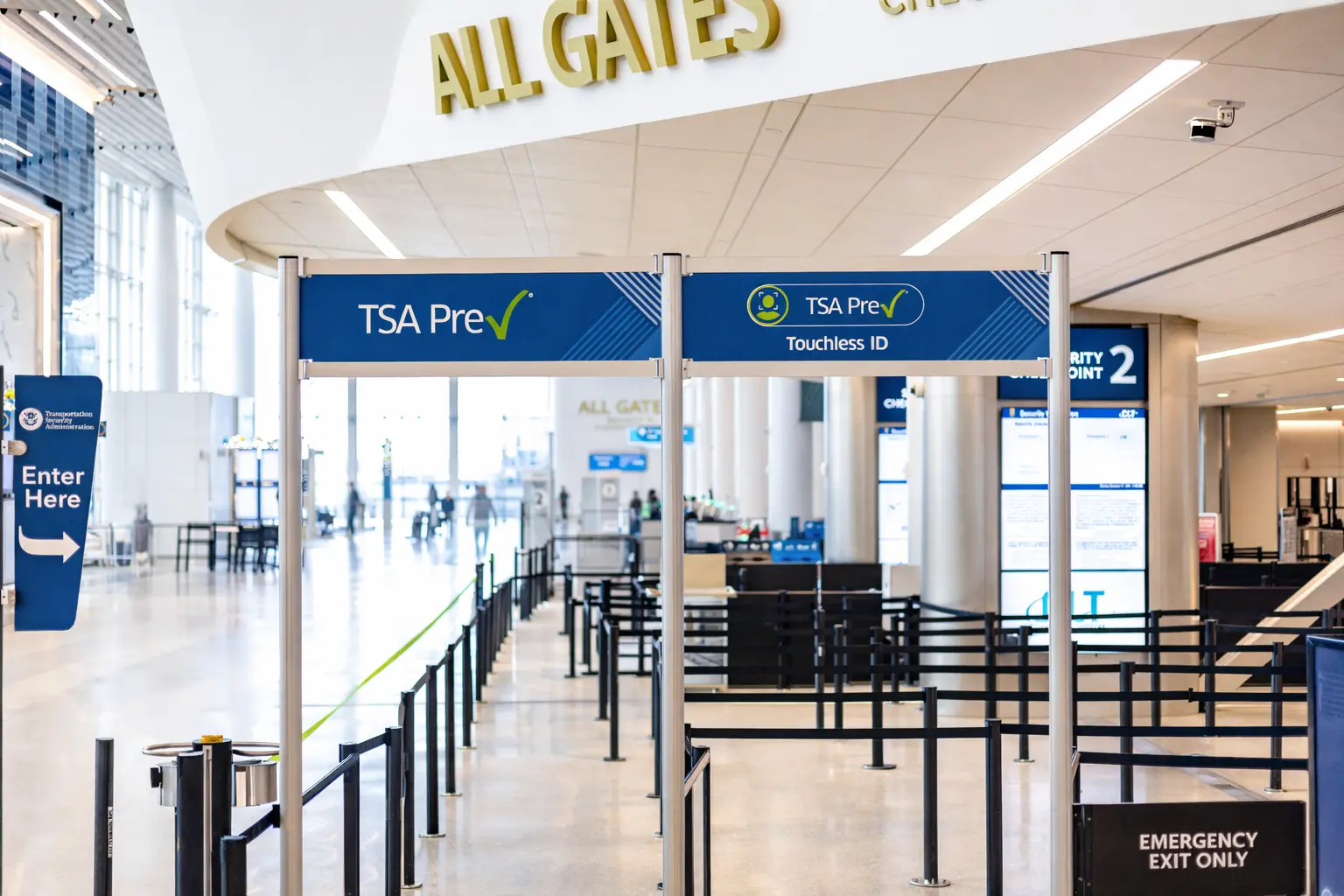
What Is TSA PreCheck Touchless ID?
TSA PreCheck Touchless ID is a voluntary biometric verification system that uses live facial imaging to confirm a traveler's identity without the need to show a physical ID or boarding pass at the security checkpoint. Instead, cameras capture a live image and match it against a passport photo uploaded earlier, speeding up the identity check significantly.
In plain terms: you walk up to the checkpoint, look at a camera, and keep moving. No fumbling for your wallet, no digging through your bag, no handing anything over.
TSA says Touchless screening takes 10 seconds or less, halving the identity verification time compared to standard TSA PreCheck lanes. For anyone who has stood in a security line watching people dig through their carry-ons for a driver's license, you know exactly how much time that adds up to across an entire queue.
Who Qualifies for Touchless ID?
This is not available to all travelers. There are four requirements you need to meet before you can use it.
TSA PreCheck Touchless ID is currently only available to flyers who already have TSA PreCheck membership, which requires a background check and a Known Traveler Number (KTN). Travelers must also have a valid passport and be flying with one of the participating airlines. Eligible passengers must actively opt in to the program through the airline's frequent flyer profile or at check-in.
Quick checklist before you sign up:
- Active TSA PreCheck membership with a KTN
- Valid passport
- Frequent flyer account with a participating airline
- Passport information uploaded to that airline profile
One thing worth noting: you still need to bring your physical ID to the airport. Technology can malfunction or some other issue can come up that could lead officers to ask you to present a valid ID. Touchless ID speeds up the process when it works — but it's not a replacement for having your Real ID or passport in your bag.
Which Airlines Participate in TSA PreCheck Touchless ID?
Right now, five airlines are participating in the program: Alaska, American, Delta, Southwest, and United. That covers the vast majority of domestic flights. Here's how to opt in with each one.
Alaska Airlines
People flying on Alaska Airlines who are interested in enrolling in Touchless ID must have a Mileage Plan account. Sign into the rewards account and add your Known Traveler Number and valid passport information to your profile.
American Airlines
American Airlines flyers must have a rewards account with the airline in order to opt into Touchless ID. Log into your AAdvantage account and navigate to the "information and password" section. Save your KTN and passport information to the rewards profile, then scroll to the option for "TSA PreCheck Touchless ID," check the opt-in box, and save. Note that American requires flyers to opt in every year.
Delta Air Lines
Delta allows flyers with SkyMiles accounts to opt into Touchless ID. Store your passport information and KTN in your SkyMiles profile, either in the Fly Delta app or at delta.com, then choose the option within the rewards profile to opt into Touchless ID.
Southwest Airlines
Travelers flying Southwest can opt into Touchless ID through their Rapid Rewards account. Log into your Rapid Rewards account in the Southwest app and select "TSA PreCheck Touchless ID." Use your phone to scan your passport, add your KTN, and opt into the program.
United Airlines
United passengers must have a MileagePlus account. Save your passport and KTN to your MileagePlus account in the United app by navigating to your account and selecting the page for TSA PreCheck and travel documents. Opt into Touchless ID on that same page.
Once you're enrolled, look for the Touchless ID indicator on your mobile boarding pass before heading to the airport. That's your confirmation that the dedicated lane is available for your flight.
What Airports Have TSA PreCheck Touchless ID?
The program has expanded quickly. Touchless ID is available at 65 airports located across the United States. That includes some of the country's busiest hubs.
Touchless ID lanes are currently active at airports including Atlanta, Dallas-Fort Worth, Chicago O'Hare, Detroit, Las Vegas, Los Angeles, Newark, New York JFK, New York LaGuardia, Phoenix, Salt Lake City, Seattle, San Francisco, and Washington Reagan National.
Priority airports added during the 2026 expansion include Houston Bush Intercontinental, Washington Dulles, Boston, Palm Beach, Miami, Orange County (California), Dallas Love Field, Kansas City, Houston Hobby, Fort Lauderdale, San Jose, Sacramento, Anchorage, Baltimore, Orlando, and Long Beach.
One thing to be aware of as the program grows: the rollout is not uniform. Some smaller airports and terminals are still relying on traditional PreCheck lanes, while others are running mixed operations with both facial recognition and conventional ID checks. That means the experience in early 2026 can vary significantly from one checkpoint to the next, even when the same Touchless ID symbol appears on the boarding pass. Bring your ID regardless, and don't be caught off guard if you get redirected to a standard lane.
How to Sign Up for TSA PreCheck Touchless ID: Step by Step
- Confirm you have active TSA PreCheck. You need a valid membership and a Known Traveler Number. No KTN, no Touchless ID.
- Gather your passport. The program is built around passport-based facial comparison. A standard driver's license will not work for enrollment.
- Log into your airline's loyalty app or website. Navigate to your profile settings and find the TSA PreCheck or travel documents section.
- Add your passport information and KTN. Upload or manually enter your passport details and link your Known Traveler Number to the profile.
- Opt in. Select "OPT IN" on your profile or at airline check-in. The process differs slightly by airline, but it is straightforward on all five.
- Check your boarding pass before you fly. Once enrolled, a special Touchless ID symbol should appear on the boarding pass, indicating that you can use the dedicated biometric lane at participating airports.
In most cases, opting in is a one-and-done task, although you will need to complete it for each airline you fly. After that, it works automatically every time you check in for an eligible flight.
What About TSA Wait Times? Does This Actually Help?
TSA wait times have been a real issue across major U.S. airports, and 2026 is not making things easier. Across the United States, airport security queues have been longer than usual, in part due to staffing pressures and operational challenges within the TSA, creating widespread delays at checkpoints at peak travel times.
Touchless ID directly addresses the slowest part of standard PreCheck: the document check. When it's working well, facial recognition-based checkpoints can process more passengers per hour than traditional lines, a key advantage as U.S. airports brace for record-breaking traffic.
The honest caveat: the technology is still maturing. Online travel communities have accounts of Touchless ID lanes that are closed, equipment that is temporarily out of service, or staff unfamiliar with the new processes. Set it up, look for the indicator on your boarding pass, and keep your ID close. The upside when it works is real. The backup plan is just your normal PreCheck lane.
Don't Have TSA PreCheck Yet? Here's What to Know
Touchless ID is not available without TSA PreCheck, so if you are traveling without a membership, this is a good time to get one. You can apply at tsa.gov and the process involves a short background check, a quick in-person appointment, and a fee. Once approved, your KTN works across all participating airlines and airports.
Many travel credit cards also include statement credits that cover the cost of TSA PreCheck or Global Entry, so check your card benefits before paying out of pocket.
The Bottom Line on TSA PreCheck Touchless ID
This is one of those things that takes five minutes to set up and can genuinely change how your morning at the airport feels. No ID, no boarding pass, no fumbling. Just walk up, look at the camera, and keep moving.
Set it up with every airline you fly before your next trip. It's one of the few actual hacks in travel right now that costs nothing extra and delivers a real payoff.